How to Redeem Into The Hive Codes
Finish the Rusty intro, open Shop → Enter Code, redeem HIVE1, and fix the failures that hide the box.
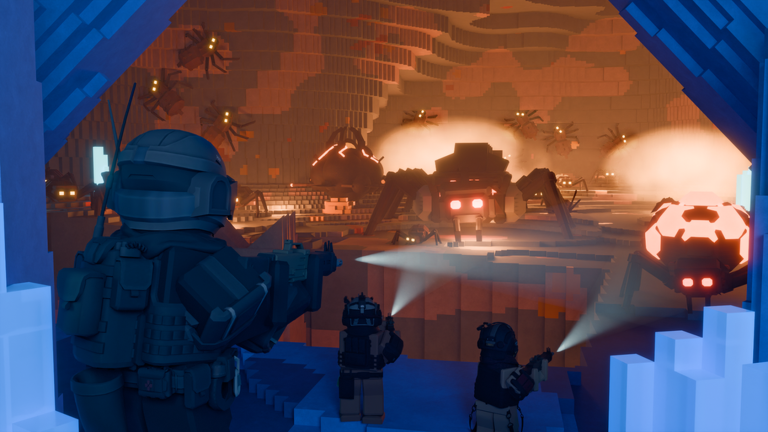
Promo codes are the fastest early boost in Into The Hive, the Roblox co-op PvE extraction shooter from To The Earth’s Core. This page is the step-by-step redeem guide: when the box unlocks after the Rusty intro, where to find Shop → Enter Code on PC and mobile, how to claim the only confirmed launch code we list (HIVE1 for 1 Equipment Token), and how to troubleshoot failed attempts. For the live list and spending context, keep the Codes Hub bookmarked. For first-hour loadout advice after the token lands, open Getting Started.
There is no separate website redeem page. Everything happens in-experience. Official announcements usually land on Discord and the developer Roblox group—see Official Links—and broader patch context lives under Updates.
Important: finish the Rusty intro first
The code field stays locked until you complete the first mission. That intro run with Rusty teaches the basic cave loop. Once you return to the lobby, Shop and Enter Code appear. If you joined five minutes ago and cannot find a redeem box, you almost always still need to finish that mission. Do not assume the UI is broken before the intro is done.
While you play the intro, practice looking up. Ceiling pressure is a day-one skill; codes only buy gear—they do not teach awareness.
Step-by-step: redeem on PC
- Launch Into The Hive on Roblox on desktop or in the Roblox app for PC.
- Complete the first mission (Rusty intro) and return to the lobby / base area.
- Open Shop from the lobby UI (commonly toward the right on desktop layouts; exact placement can shift with patches).
- Scroll or look near the bottom of the shop window for the Enter Code text box.
- Click the field. Type or paste an active code exactly—no spaces before or after, correct capitalization if the code is case-sensitive as printed.
- Press Redeem (or the equivalent confirm control).
- Confirm the reward appears—HIVE1 should grant 1 Equipment Token.
- Open Equipment / armory and spend the token thoughtfully before your next deep dive.
If paste from Discord or a browser adds a trailing space, delete and retype. Most “invalid code” reports on day one are whitespace or unfinished intros.
Step-by-step: redeem on mobile
Mobile uses the same unlock rule and the same Shop → Enter Code flow. Differences are layout and typing:
- Join on iOS or Android and finish the Rusty intro if you have not.
- Return to the lobby and tap Shop. On phones the button may sit in a denser HUD—rotate to landscape if the shop panel feels clipped.
- Find Enter Code near the bottom of the shop panel. You may need to scroll inside the shop UI.
- Tap the field to open the on-screen keyboard. Prefer paste from a notes app over memorizing long strings when new codes appear later.
- Remove accidental spaces, tap Redeem, and verify the Equipment Token.
- If the keyboard covers the Redeem button, dismiss it slightly or scroll the shop panel so Confirm stays visible.
Console players follow the same post-intro Shop path with controller UI focus; there is still no out-of-game redeem site.
Confirmed code: HIVE1 only
| Code | Reward | Status |
|---|---|---|
| HIVE1 | 1 Equipment Token | Active (confirmed) |
HIVE1 is the launch promo confirmed by reputable Roblox codes coverage. Redeem it once per account. Treat it as a one-time grab the moment Shop unlocks so you do not forget it after a long session.
Rumored codes are not active here
Community chats and random videos sometimes float unverified strings such as HIVECRATES. Those names are unverified until the studio Discord, the developer group, or other reputable codes roundups confirm them. Do not treat rumored codes as active. This wiki will not list them as working. If a creator shows a montage of “new codes,” wait for confirmation, then check the Codes Hub before you waste time on typos and expired guesses.
What the Equipment Token is for
Equipment Tokens spend in the lobby armory on:
- Guns — primary swarm clear
- Sentries / turrets — automated cover
- Throwables — burst tools
- Augments — modifiers for equipped gear
One free token will not finish an endgame kit, but it accelerates your second purchase and lets you test an Augment earlier. Prioritize a clearer gun, then a sentry for solo or duo cover—details in Getting Started and the tier pages linked from the Codes Hub.
Troubleshooting failed redemptions
Work this list top to bottom:
- First mission not finished — Shop / Enter Code stay hidden until Rusty intro is complete.
- Wrong menu — You must be in the lobby Shop, not mid-cave pause menus.
- Typos and spaces — Retype HIVE1 manually; watch for lowercase L versus uppercase i confusion in other future codes.
- Already redeemed — HIVE1 is one-time per account. A second try correctly fails.
- Expired or fake code — Ignore unverified lists (including rumored names like HIVECRATES). Cross-check Discord via Official Links and this site’s Codes Hub.
- UI glitch — Rejoin the lobby, reopen Shop, try once. Restarting the Roblox client clears stuck shop panels.
- Accepted but token not visible — Reopen Equipment, switch tabs, or soft rejoin. Still missing? Ask in Discord with a Shop screenshot—never post passwords or session details.
- Wrong experience — Confirm you are in Into The Hive (place linked above), not a fan remake or similarly named game.
Mobile versus PC quirks worth remembering
- PC: Mouse precision makes the Enter Code field easy; paste from Discord desktop works well if you trim spaces.
- Mobile: Scroll inside Shop; landscape helps; clipboard paste from Notes reduces typos.
- Both: Unlock rule is identical—no intro, no box.
- Both: Redeeming does not grant Robux. Tokens are in-game armory currency only.
After you redeem: spend before you queue deep
Do not sit on an unused token while swarms punish under-geared runs.
- Buy a gun upgrade you will actually equip.
- Consider a sentry if you solo or lack team cover.
- Attach Augments only to gear that enters the cave.
- Review Updates when a patch reshapes prices or unlocks so you do not spend into a soon-replaced stub item.
Codes speed gear. They do not replace map knowledge, ceiling checks, or extract discipline.
Where new codes appear (and how we update)
Watch the official Discord and Roblox group listed on Official Links. There is no official Trello and no official studio wiki, so Discord plus this site’s Codes Hub are the practical trackers. When a new string is confirmed, redeem it the same way: lobby Shop → Enter Code → Redeem. We move dead codes off the active table and we still refuse to promote unverified rumors.
Safety notes
- Never pay a stranger to “enter codes” on your account.
- Never download random executors because a video promised free crates—read safety context on the Scripts hub if you are curious, but codes themselves need no external tool.
- Never share your Roblox password in code-help chats.
Finish the intro, open Shop, enter HIVE1, claim the Equipment Token, and ignore unverified names until Discord or reputable coverage confirms them. That is the entire redeem loop for Into The Hive.
Frequently Asked Questions
Quick answers for hive runs, codes, and loadouts.
Why can I not see Enter Code in Into The Hive?
Finish the first mission with Rusty and return to the lobby. Shop and the Enter Code box unlock only after that intro.
How do I redeem codes on mobile?
After the intro, open Shop, scroll to Enter Code near the bottom of the panel, paste or type carefully, then Redeem. Landscape mode helps if the UI feels cramped.
What does HIVE1 give?
HIVE1 is the confirmed active code and grants 1 Equipment Token once per account for guns, sentries, throwables, or Augments.
Is HIVECRATES a working code?
No. Names like HIVECRATES are unverified rumors until Discord or reputable codes coverage confirms them. Do not list or trust them as active.
Is there a website to redeem Into The Hive codes?
No. Redeeming is only in-experience through the lobby Shop after the first mission on PC, mobile, and console.
Where do new codes get posted?
Watch the official Discord and developer Roblox group via Official Links, then mirror confirmed drops on the Codes Hub and Updates coverage.